




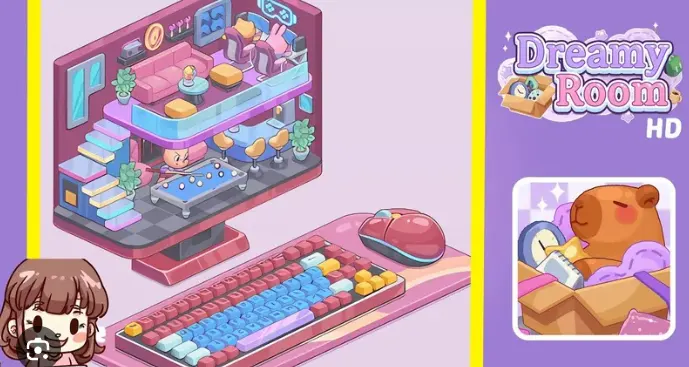


Dreamy Room Level 283 requires precise object placement and attention to detail to recreate the perfect gaming paradise.
Key Features of Level 283:
- Large “GAMING Center” sign anchoring the back wall
- Two circular gaming pods on the upper platform
- Middle-row gaming stations with monitors and chairs
- Lower-level reception area with cat-faced monitor
- Signature red gaming chairs with bunny headsets
- Strategic glass railings and neon trim throughout
This level stands out for its complex vertical design and careful balance between technological elements and welcoming social spaces. The purple-themed color palette creates an immersive atmosphere while multiple gaming zones offer unique challenges in object placement and scaling.
Let’s break down exactly how to arrange each element for a perfect three-star completion.
Dreamy Room Level 283 Walkthroughs & Guide
Starting with the Main Sign
- Place the “GAMING Center” sign at the top back wall
- Center it horizontally with letters angled forward
- Ensure proper shadow casting on purple wall
- Align with neon border trim
Upper Platform Setup
- Position two circular gaming pods (left and center-right)
- Add keyboard trays and mouse pads to each pod
- Place small round tables with coffee cups and plants
- Keep proper spacing between pods for visual balance
Wall Elements and Lighting
- Install yellow-orange neon trim along wall edges
- Add neon game-controller icon on right wall
- Place AC unit under controller icon
- Ensure all neon elements have soft glow effects
Pro Tip: Always check your lighting effects from multiple angles to ensure proper glow distribution.
| Element | Position | Key Details |
|---|---|---|
| Gaming Pods | Upper Platform | Forward tilt, keyboard access |
| Neon Trim | Wall Edges | Yellow-orange glow |
| Side Tables | Near Pods | Plants and cups |
Similar Games
- Dreamy Room Level 159 Walkthrough
- Dreamy Room Level 169 Walkthrough
- Dreamy Room Level 46 Walkthrough
Final Words
Successfully completing Dreamy Room Level 283 rewards players with a stunning gaming center that masterfully balances style and function. The multi-level design creates distinct zones for different gaming experiences, from immersive pod stations to social multiplayer areas.
The level’s standout purple theme and strategic lighting create an inviting atmosphere that makes gamers feel right at home. By following the precise placement guidelines for the main sign, gaming pods, and decorative elements, players can achieve the optimal three-star rating while crafting a space that truly celebrates gaming culture.
The attention to small details - from the cat-faced monitor at reception to the custom bunny headsets - adds personality without compromising the sleek, tech-forward aesthetic. The glass railings and neon accents tie everything together visually while maintaining clear sight lines between gaming zones.


